
En esta noticia
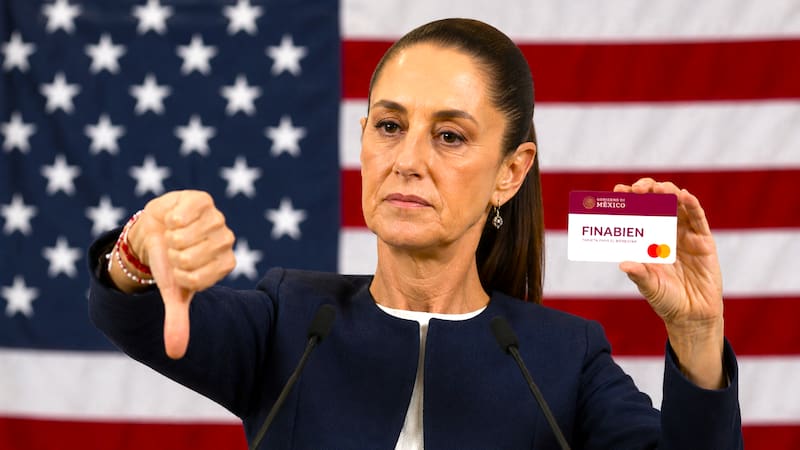
The FINABIEN card, administered by the Financiera para el Bienestar institution, is an alternative used by Mexicans and Americans living in the United States to send remittances between these countries.
This option is presented by the Government of Mexico as a way to avoid the 1% tax that the One Big Beautiful Bill tax reform applies to remittances backed by physical instruments, such as cash or money orders.
To process it from the United States, the requirement Mexico demands is the presentation of all the documents included in the official list released by the authorities.

FINABIEN card: official and complete list of documents that must be presented to process it in the United States
According to what was reported by the Mexican authorities, the FINABIEN USA card can be requested at any of Mexico’s 53 consulates and, for the process to be enabled, the following must be presented
- Mexican or American identification, such as INE, passport, consular ID card, or Mexican or U.S. driver’s license.
- Email address.
- Valid address in the United States.
- Cell phone number.

How to activate the FINABIEN card
If you have not registered, during the process you must select the “Do you already have a physical card?” option and follow the steps for activation.
If you have already registered and have an account, you must log in to the Financiera para el Bienestar App and then go to the accounts section, locate the card, and confirm that the “Active card” button is green.
If you cannot find it, in the “accounts” section, the user will need to go to “Do you already have a physical card? Add it here” and enter the details.

FINABIEN card: how much money can be sent and what fee is charged
This prepaid Visa allows transfers of up to 2,500 dollars per day for USD 2.99 when sent to Mexico.
The maximum balance allowed is USD 20,000, and up to USD 15,000 in monthly transfers are permitted.
All limits and fees can be checked by clicking here.
How to use the FINABIEN card
The authorities indicate that there are two ways to send money to another FINABIEN account
- By contact, using a phone number
- Through quick transfer to cards
1- By contact
- Locate the card.
- Tap the “Send money” option.
- Select as appropriate “To your contacts in Mexico” or “To your contacts USA”.
- Search for the contact or add it manually.
- Select the country where the contact is located and add an alias.
- Enter the amount and concept, and then select the “Continue” option.
- Confirm the information and finally press “Send money”.
2- By quick transfer between cards
- Locate the card.
- Tap the “Send money” option.
- Select “Between cards”.
- Choose “Quick transfer to cards”.
- Fill in the 16 digits of the destination card.
- Enter the amount, concept, and then select the “Continue” option.
- Confirm the information and finally press “Send money”.