

En esta noticia
The driver’s license is undergoing a major transformation in the United States.
In the state of Virginia, authorities have launched a new identification system that allows drivers to carry their document directly on their cellphone.
Although the physical license remains valid, those who wish to access this new option must complete a specific procedure before the Department of Motor Vehicles (DMV).
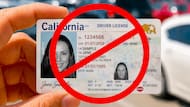
Goodbye to the traditional driver’s license: this is how the new digital version works in Virginia
The Virginia Department of Motor Vehicles confirmed the implementation of Mobile ID, a digital credential that allows citizens to carry their driver’s license or identity document on a mobile device.
This tool can be used at certain airports, government offices and authorized establishments that already have compatible systems to verify users’ identities. The goal is to simplify procedures and offer a more modern and secure alternative for residents.

However, authorities clarified that the digital driver’s license does not replace the physical document.
For now, drivers will have to continue carrying their traditional license when driving on public roads, since not all jurisdictions or agencies still accept the format.
Who will be able to renew the driver’s license and access the new document
The possibility of obtaining Mobile ID is reserved for people who have a valid driver’s license or state ID issued by the Virginia DMV.
In addition to keeping the document up to date, interested users must complete an additional identity validation process. This means the digital driver’s license is not generated automatically when renewing the physical credential, but instead requires a separate application.
Authorities also recommended checking that the driver’s license meets current federal identification requirements, especially for those planning to use it for domestic travel or airport security checkpoints.

Step by step: the mandatory procedure to obtain Mobile ID
Drivers who want to add the digital driver’s license to their phone must follow a series of steps established by the DMV.
First, it is necessary to have a valid driver’s license or state ID. Then, the official Virginia Mobile ID app must be downloaded from the store corresponding to the device’s operating system.
Once the app is installed, the user must verify their identity through biometric checks and validation of personal data. After completing the procedure, the digital credential will be stored on the phone and can be used in authorized locations.